
OpenAI’s ChatGPT Atlas browser is the company’s boldest attempt yet to redefine how we surf the internet. Instead of typing queries into Google and sifting through links, Atlas lets you talk to your browser like a personal assistant, summarizing pages, answering questions, even performing small tasks for you.
It’s sleek, smart, and undeniably futuristic. But can it replace your everyday browser like Google Chrome? After spending some time with Atlas, the answer is clear: not yet.
Setting Up ChatGPT Atlas: Familiar Yet Different
Getting started with ChatGPT Atlas is surprisingly simple. It’s a standard Mac app, just download it, sign in with your OpenAI account, and you’re ready to go. Instantly, it syncs with your existing ChatGPT history and begins personalizing your browsing experience using that context.
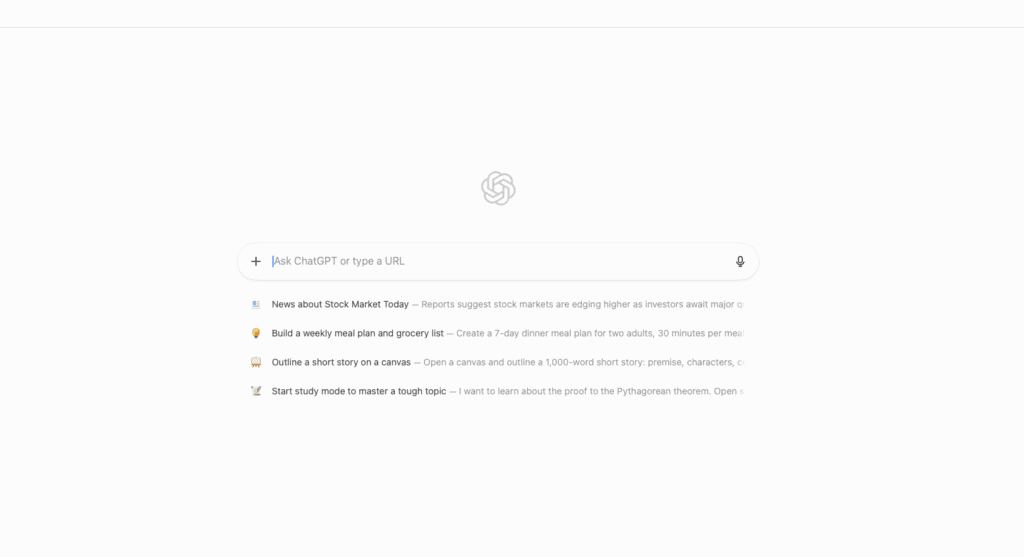
Atlas is built on Chromium, so it feels familiar. You can import bookmarks, use Chrome extensions, and navigate without a learning curve. But the difference becomes apparent the moment you open a new tab: instead of Google, the default search bar asks, “What do you want to do?”
Type in a query, and Atlas doesn’t show you search results. Instead, it compiles what it thinks are the best answers right inside the ChatGPT interface, no SERP, no blue links, just curated insights. It’s a seamless experience, but one that feels both exciting and slightly restrictive.
Browsing Smarter, Not Harder
Atlas shines when it comes to AI-powered browsing. Whether you’re looking for “top restaurants nearby” or “best phones under $500,” Atlas delivers a rich, curated list complete with photos, reviews, and even reservation links. Click a restaurant’s booking page, and ChatGPT slides neatly to the sidebar, ready to summarize or assist without leaving your tab.
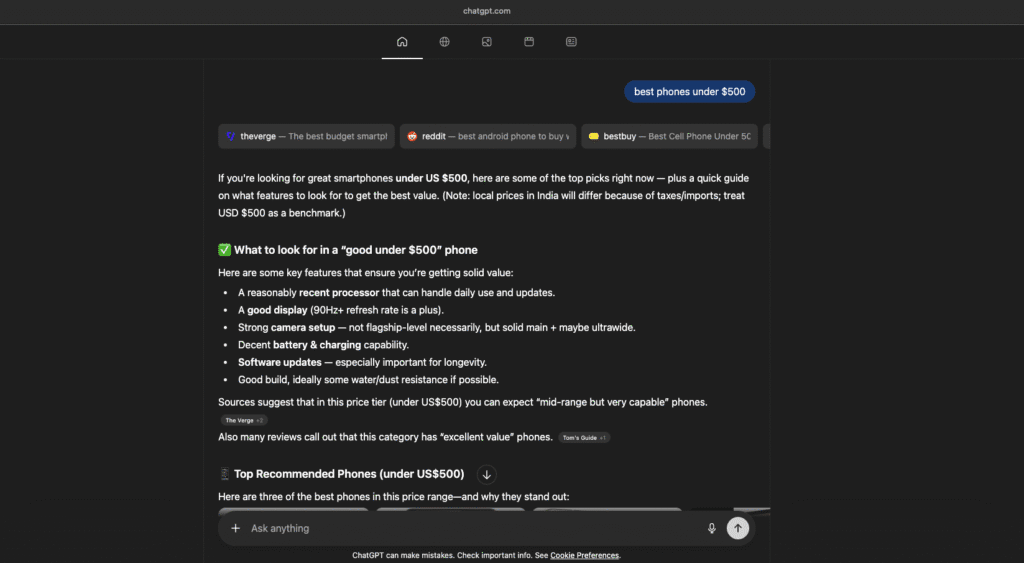
This kind of context-aware browsing is where Atlas truly stands out. It doesn’t just fetch results, it understands what’s open on your screen. You can ask it to summarize a tech article, extract data from a comparison chart, or rewrite a paragraph directly in Google Docs.
In many ways, Atlas feels like an AI coworker that lives inside your browser. It’s capable of executing commands like, “Close all shopping tabs,” or “Reopen that camera review I read yesterday.” And it works.
But as impressive as it is, there’s still a catch.
Not Perfect Yet: Where Atlas Falls Short
For all its innovation, ChatGPT Atlas is far from flawless. Its Agent Mode, designed to automate online actions like booking restaurants or adding items to a shopping cart, often fails in practice. For example, it can only reliably add products to a Walmart cart, making it useless for most users outside North America.
In one test, Atlas confirmed a restaurant reservation… that never actually existed. That’s the problem with current AI, it’s smart, but not always truthful.
And while the Browser Memory feature sounds helpful, allowing Atlas to remember your habits, preferences, and past searches, it raises major privacy concerns. Though OpenAI says your data isn’t used for model training by default, the setting to disable it is buried deep.
As one user on Reddit said bluntly:
“These AI browsers are ass — this shit’s gonna run a prompt injection automatically and all your passwords are gonna get leaked.”
That sentiment isn’t rare. Many users simply don’t trust AI browsers with sensitive data. And others have more practical complaints, no ad-blocker, for instance.
As one comment puts it:
“Same, no adblock makes it absolutely unusable nowadays for me. Even if it had the most amazing features, if I have to watch ads, I’ll avoid it.”
For millions of Chrome users who depend on ad-blockers and password managers, that’s a dealbreaker.
Real-World Test: Gold Price Query
To see how Atlas performs with factual data, I asked, “What is the gold price today?”
Atlas responded with the 1-gram rate, even though in most regions, gold is typically priced per 10 grams. The response lacked a price graph or market overview. When I switched to Chrome, Google’s search page instantly showed multiple sources, a live price chart, and the correct 10-gram rate.
Yes, AI learns over time. But a browser should get simple factual data right the first time. This experience alone proves that Atlas isn’t ready to replace Chrome for real-world searches yet.
Chrome Still Holds Its Ground
It’s not easy to abandon old habits, especially when Chrome does almost everything right. Chrome is fast, stable, privacy-enhanced (at least by comparison), and loaded with extensions. It doesn’t hallucinate or miss obvious data points.
Atlas, on the other hand, feels experimental. It’s innovative and exciting, but inconsistent. It may be the clearest glimpse of where browsers are headed, but it’s still a long journey from being the default choice for everyday users.
Also Read: Is OpenAI Agent Builder Free?
Our Verdict
The ChatGPT Atlas browser is not here to replace your Chrome browser, at least not yet.
Many users don’t want their data in the hands of an AI browser, and others refuse to browse without an ad-blocker. Chrome, meanwhile, remains stable, familiar, and privacy-hardened enough to keep its massive user base happy.
It’s not easy to dump old ways and move to new technology, especially when the old one still works perfectly fine.
ChatGPT Atlas may be a glimpse into the future, but it still has to travel a whole universe before it can truly replace Google Chrome.