
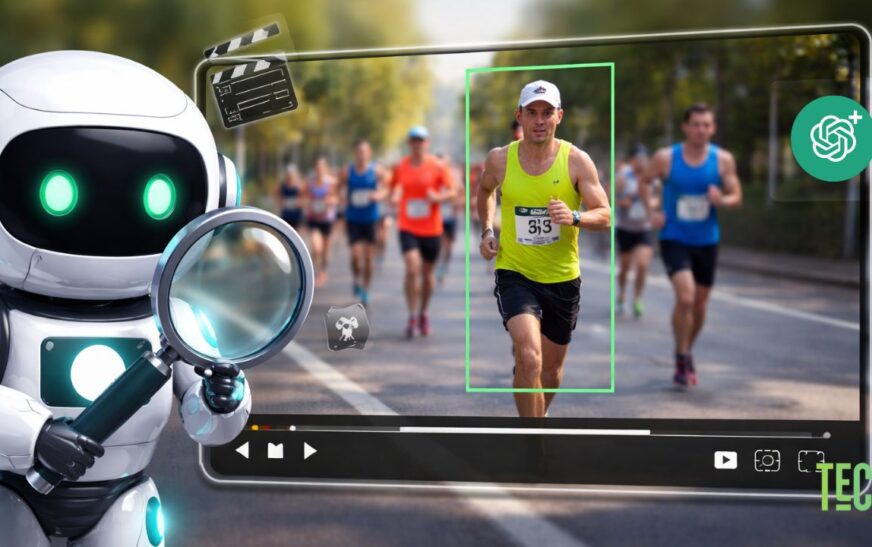
AI can already write essays, summarize podcasts, and analyze images, but can ChatGPT truly understand a full video file the way a human does?
To find out, we ran a real-world test using ChatGPT’s video analysis capability, a feature currently available only to ChatGPT Plus and Pro users. Instead of using a staged or labeled clip, we chose a simple, clean video and asked increasingly specific questions to see where AI shines and where it clearly struggles.
The results were surprising, impressive in parts, and very revealing in others.
How We Tested ChatGPT’s Video Analysis
For this experiment, we downloaded a royalty-free video titled “People Running on the Sidewalk” from Unsplash. The video was saved in 1280×720 resolution, ensuring good clarity and visibility.
To avoid giving the AI any shortcuts, we removed all visible text, labels, and filenames. This was similar to our earlier ChatGPT audio listening test, where we stripped metadata so the AI had to rely purely on perception, not hints.
Once uploaded, we started with a very basic question.
Can ChatGPT Understand the First Frame of a Video?
Question asked:
“What is the very first frame of the video?”
ChatGPT’s response:
It confidently described the opening frame as a group of runners in a road race, focusing on a male runner in the foreground wearing a neon yellow sleeveless top, black shorts, a white cap, and bib number 35, running toward the camera.

ChatGPT correctly identified motion, clothing, perspective, and even the bib number. This confirmed that the AI was not guessing blindly, it was genuinely processing the video frames.
Testing AI Attribute Recognition
Next, we moved to a more detailed and specific test.
Question asked:
“What color top is participant number 8 wearing?”
Result:
ChatGPT failed this test. Instead of identifying participant number 8, it confused the subject with participant number 35 in the first frame and repeated the neon green top description which was wrong.

This shows a key limitation, ChatGPT struggles when multiple similar subjects appear and needs to track individual identities across frames.

Can ChatGPT Detect Obscured or Small Objects in Video?
To push things further, we tested object detection.
Question asked:
“How many birds did you see in the whole video?”
In reality, the video clearly shows three birds moving in different directions across the scene.
ChatGPT failed to identify even a single bird.

Small, fast-moving, or background objects are currently very difficult for ChatGPT to detect reliably in video content.
Can ChatGPT Identify Simple Visual Details Like Hats?
Finally, we tested an easier attribute.
Question asked:
“Is participant number 35 wearing a hat?”
ChatGPT’s response: Yes, it correctly identified the white cap.

Clear, prominent objects with strong contrast are much easier for AI to recognize.
How to Make ChatGPT “See” a Video
ChatGPT cannot analyze videos by default. Here’s what you need to know.
- You must be using ChatGPT Plus or Pro
- The video must be uploaded directly as a file
- Clear resolution works best, ideally 720p or higher
- Avoid cluttered scenes if you need precise object tracking
- Ask simple, direct questions for better results
At the moment, ChatGPT does not continuously track identities like a human would.
FAQ
Q1. Can ChatGPT analyze video links?
No. ChatGPT cannot analyze video links directly. You must upload the video file itself.
Q2. Can ChatGPT analyze YouTube videos?
No. YouTube links are not supported for video analysis. Downloading and uploading the video file is required.
Q3. Can free ChatGPT analyze videos?
No. Video analysis is only available to ChatGPT Plus and Pro users.
Q4. Can ChatGPT analyze videos shared on Reddit?
No. Reddit links or embedded videos cannot be analyzed unless the actual video file is downloaded and uploaded manually.
Bottom Line
So, can ChatGPT analyze video files? Yes, but with clear limitations. It performs well when it comes to describing overall scenes, identifying prominent objects, and recognizing obvious visual attributes such as clothing or hats. These strengths make it useful for basic video understanding and surface-level analysis.
However, ChatGPT still struggles with more complex tasks. It has difficulty tracking specific individuals across frames, identifying small or background objects, and accurately interpreting crowded scenes or complex motion. Because of this, its video understanding is best described as frame-aware rather than context-aware. It can see what is visually obvious in individual moments, but it does not truly “watch” a video the way a human does.
As AI video perception continues to evolve, these gaps will likely narrow over time. For now, ChatGPT works well as a supportive tool for basic video analysis, but it should not be considered a replacement for careful human observation.